Slow where it should be. Instant where it must be.
Building a scenario is deliberate work: the realism is worth the setup, and it is reused from the library every time after. Running one is immediate: a decision changes the frame, and nobody waits on the tool.
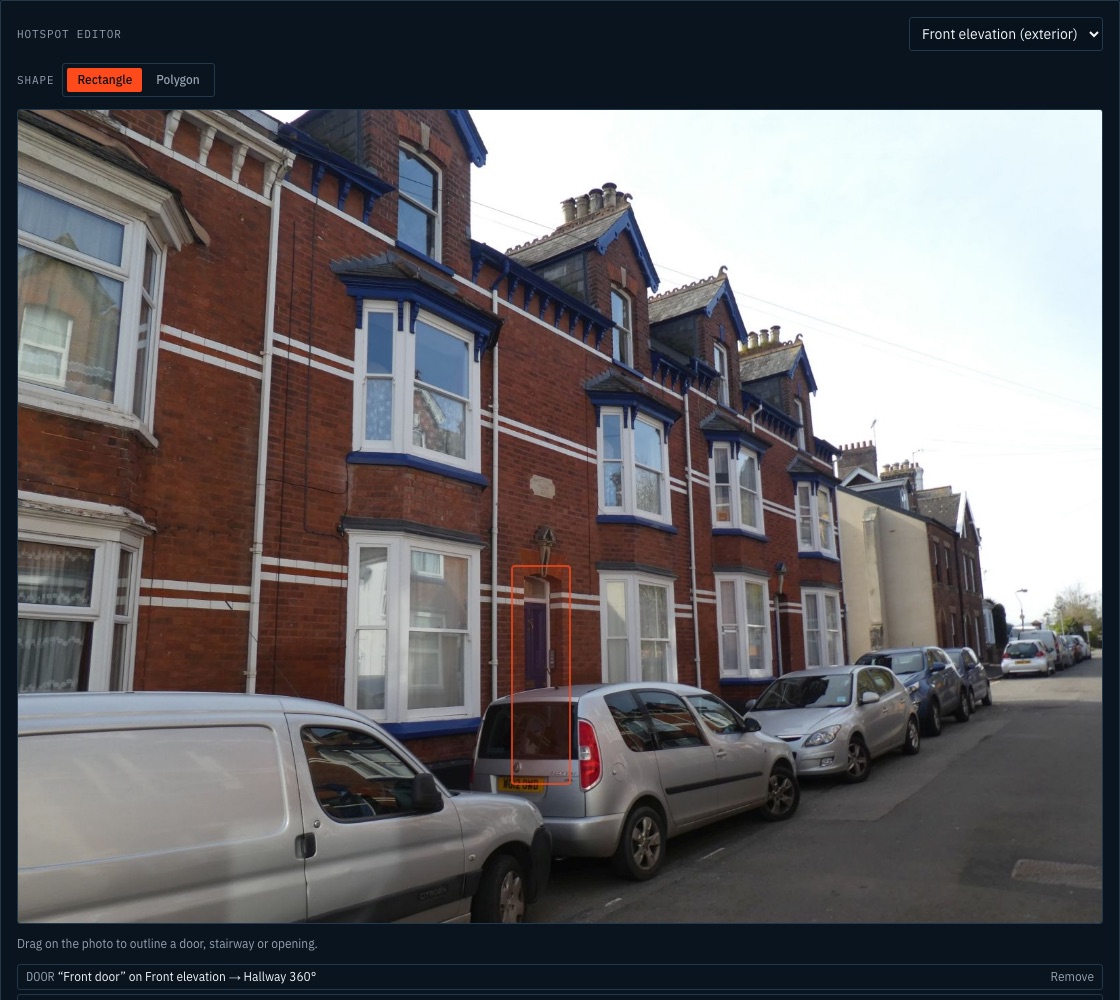
Step 1: Photograph the premises
Exterior, each elevation, the interior routes that matter. Your own photos of a building on your patch, the one a Watch Manager can already picture.
Step 2: Map it
Link the photos to the floorplan with numbered keys. Front elevation, stairwell, rear yard: a walkthrough an incident commander can move through.
Step 3: Set the fire
Place fire and smoke where they take hold. Stage, intensity, smoke colour, wind, time of day. Take the time to get it realistic: it is reused from the library every time after.
Step 4: Run and record
Brief the candidate, reveal information as they command, pause if the station gets a shout, and leave with a debrief PDF on record.
The candidate commands; the scene answers
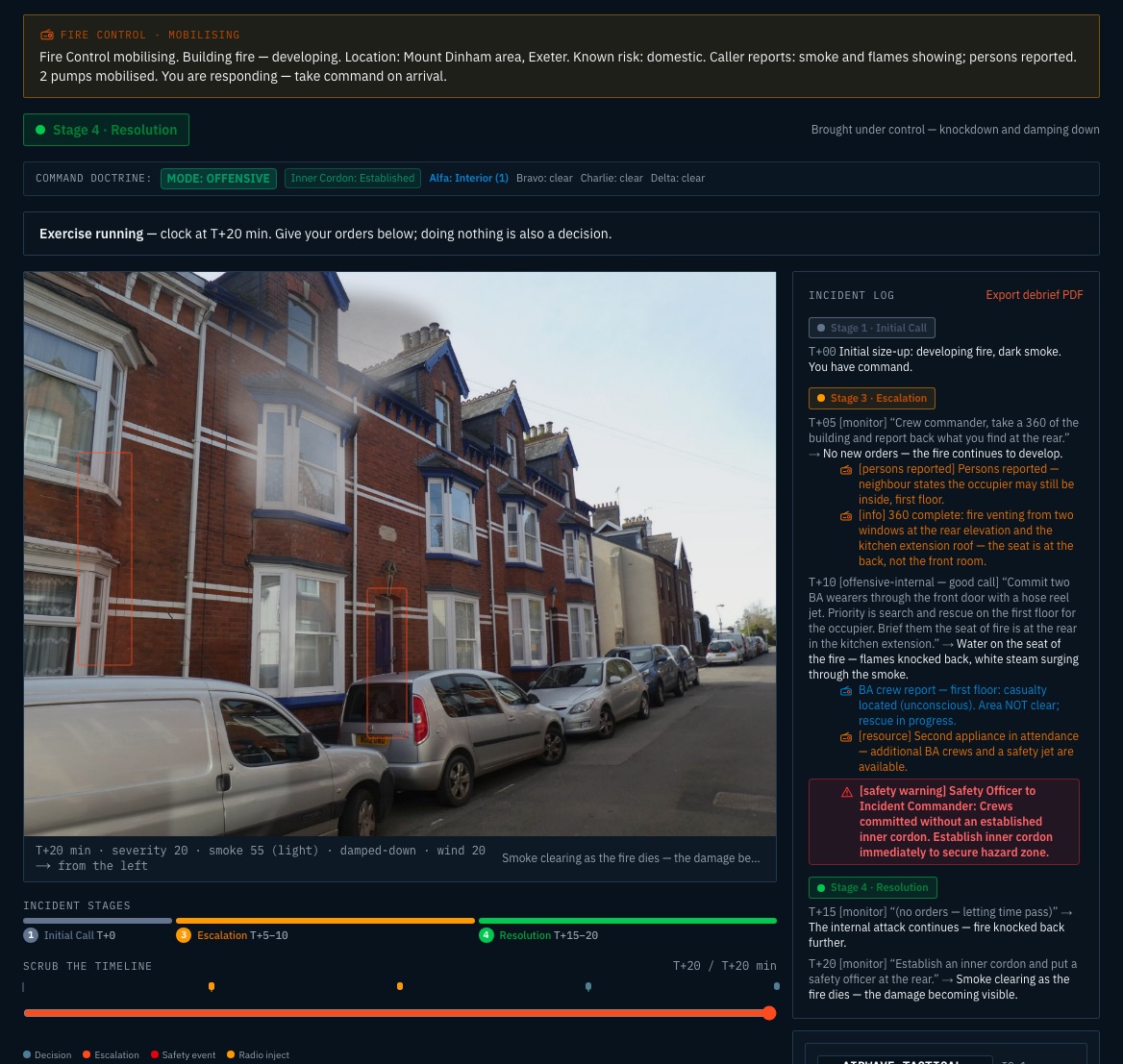
Give the brief. The commander issues orders, typed or spoken if the room prefers, and each one advances the incident a step: T+0, T+5, T+10. The fire develops, information is revealed, the timeline logs it all, and the debrief exports as a PDF at the end. Live remote sessions with a join code exist too, for the services that want them.
Real buildings, from the road
Each is a real photograph of a UK premises paired with the scenario built from it. Hover or tap to reveal the fire. Every render carries the AI-generated label. Premises names are working titles; the photographs are real.
Open the Studio
Build a scenario on one of the example premises, map it, and run an exercise. Your own photographs are best uploaded under a pilot, where they stay private to your service.
Build the first one on a premises your service knows
We will do it with your training team, on your photographs.